
WooCommerce Product Listing Service: Fix These 5 Mistakes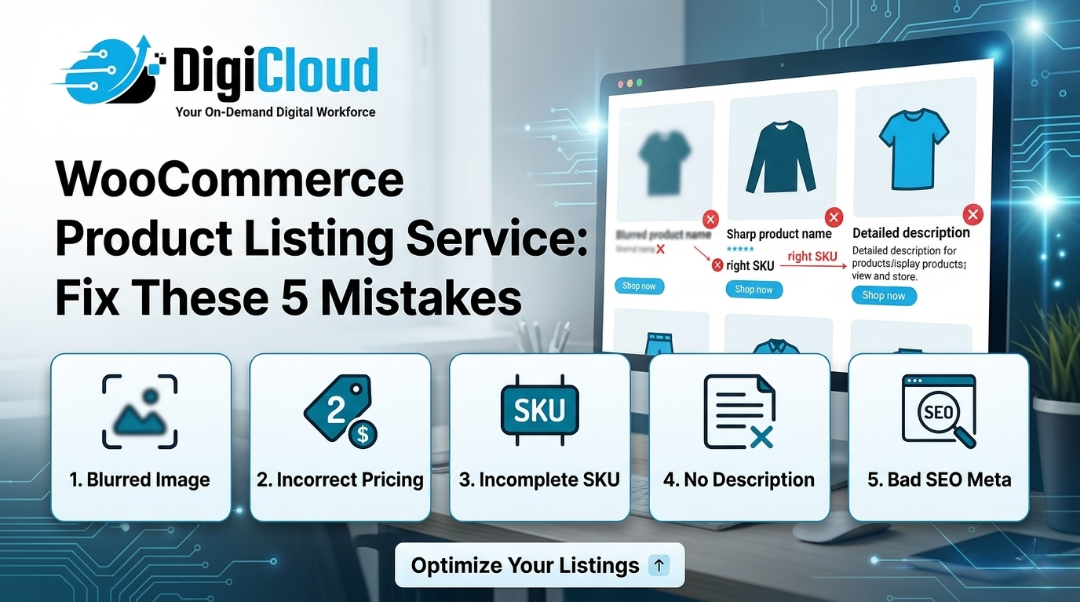
You built the store. You drove the traffic. But the sales? Barely there. If this sounds familiar, your WooCommerce product listing service strategy — or the lack of one — might be the silent culprit. In 2026, shoppers are more impatient, search engines are smarter, and the gap between a product listing that converts and one that repels has never been wider. The good news? Every mistake is fixable — and in this blog, we’ll walk you through exactly what’s going wrong with DIY listings and how professional listing services get it right.
The Real Cost of “Good Enough” Product Listings
Most WooCommerce store owners underestimate how much their product listings impact revenue. It’s easy to think: “I uploaded the product, added a photo, and set a price — what else is there?” Quite a lot, actually.
Studies consistently show that over 87% of online shoppers consider product content a decisive factor before making a purchase. Poor product listings don’t just fail to convert — they actively push customers toward competitors who present the same product better.
Here’s a look at the most common mistakes we see in DIY WooCommerce listings — and what happens when professionals step in.
Mistake #1: Thin, Vague, or Copy-Pasted Product Descriptions
The most widespread listing error is lazy product copy. Store owners often paste the manufacturer’s description word for word, leave it at two lines, or write something so generic it could apply to any product in the category.
Why it kills conversions: Customers can’t feel, touch, or try your product before buying. Your description has to do that work for them. If it doesn’t answer their questions, address their concerns, or spark desire — they leave.
Why it hurts SEO: Google’s 2025 Helpful Content updates have made duplicate and thin content a ranking liability. If your description matches the manufacturer’s page or a dozen other stores, you will not rank.
What professionals do differently: A skilled WooCommerce product listing team writes original, keyword-rich descriptions tailored to your target buyer. They speak to benefits, not just features. They build in natural LSI keywords, address objections, and match the tone of your brand — all while keeping the copy SEO-friendly and scannable.
Mistake #2: Poor Product Images With No Optimization
Your images are your storefront window. A blurry photo, an inconsistent background, or an image that’s 4MB and takes 6 seconds to load — each of these is conversion suicide.
The DIY trap: Most store owners upload whatever image the supplier sends — often with watermarks, wrong dimensions, mixed backgrounds, or poor lighting. WooCommerce has specific image guidelines, and ignoring them results in misaligned thumbnails, stretched gallery views, and a store that looks unprofessional.
What professionals do differently: Expert WooCommerce teams edit and enhance product images: removing backgrounds, standardizing dimensions, adjusting brightness and contrast, compressing files for fast loading, and adding alt text for both accessibility and SEO. The result is a clean, consistent, trust-building visual experience across every product page.
Mistake #3: Missing or Incomplete Product Attributes
Attributes like size, color, material, weight, SKU, UPC, and MPN aren’t just data fields — they’re conversion tools. Shoppers filter by them. Google indexes them. And customers use them to make confident purchasing decisions.
What goes wrong with DIY: In the rush to launch, attributes get skipped or half-filled. Variable products get set up incorrectly. A customer selects “Red / Large” and gets a no-stock message — even when the product exists — simply because the attribute wasn’t mapped properly.
What professionals do differently: A professional WooCommerce product listing service meticulously fills every attribute field, sets up product variations correctly, and ensures the WooCommerce backend is structured for both user experience and discoverability. No orphaned variants, no missing SKUs — just a seamless shopping experience that keeps customers coming back.
Mistake #4: No SEO Strategy Behind the Listings
This is perhaps the most damaging mistake of all — and the one most store owners don’t even know they’re making.
A WooCommerce product listing without an SEO strategy is a listing that Google cannot find, rank, or recommend. In 2026, with AI-powered search and Google’s Search Generative Experience (SGE) reshaping how results appear, SEO-optimized product content is not optional — it is foundational.
What DIY listings miss:
- Title tags that match actual search intent
- Meta descriptions that drive click-throughs from SERPs
- Structured heading hierarchy (H1 → H2 → H3)
- Schema markup for products (price, reviews, availability)
- Keyword-integrated descriptions without stuffing
What professionals do differently: Teams at agencies like DigiCloud research buyer-intent keywords, implement proper title tag and meta description formats, and structure listings to appear in featured snippets and Google Shopping results. This isn’t just SEO — it’s AEO (Answer Engine Optimization), which in 2026 means your products can appear directly in AI-generated answers on Google and Bing.
Mistake #5: Broken Category Structure and No Cross-Sell Logic
Even if individual listings are strong, a poorly organized catalog destroys the customer journey. When shoppers can’t navigate your store intuitively, they leave — even if the product they want is right there.
The DIY problem: Products dumped in wrong categories, no subcategories, missing tags, and zero cross-sell or upsell configuration. A customer buys a camera lens but never sees the compatible filters or cases sitting in your store — revenue you’re leaving on the table daily.
What professionals do differently: Professional WooCommerce catalog teams organize product taxonomies logically, set up cross-sell and upsell relationships, implement related product logic, and ensure the store architecture supports both search engine crawling and human navigation.
DIY vs. Professional WooCommerce Product Listing Service: Side-by-Side Comparison
Still wondering whether to handle listings yourself or hire professionals? Here’s an honest, head-to-head breakdown:
| Feature / Factor | ❌ DIY Listing | ✅ Professional Service (DigiCloud) |
|---|---|---|
| Product Descriptions | Generic or copy-pasted | Original, SEO-optimised, buyer-focused |
| Product Images | Raw supplier images, unoptimised | Edited, compressed, alt-tagged |
| Product Attributes | Incomplete or incorrectly mapped | Fully filled — SKU, UPC, MPN, variants |
| SEO Optimisation | Little to none | Title tags, meta, schema, keywords |
| Category Structure | Disorganized or flat | Logical taxonomy with subcategories |
| Cross-sell / Upsell Setup | Not configured | Strategically set up to boost AOV |
| Bulk Upload Capability | Error-prone, time-consuming | Fast, accurate CSV/Excel uploads |
| Time Investment | High — takes you away from business | Zero — fully managed for you |
| Cost Efficiency | Hidden costs in time and errors | 40–50% savings vs. in-house team |
| Support Availability | Only yourself | 24/7 dedicated support |
| Conversion Impact | Low — inconsistent quality | High — listings built to sell |
The 2026 Shift: Why DIY WooCommerce Management Is Harder Than Ever
In 2026, the bar for a high-converting WooCommerce store is significantly higher than it was even two years ago. AI-driven competitors are publishing optimized listings faster. Google’s ranking signals are more sophisticated. And customers have been trained by Amazon and Shopify storefronts to expect polished, detailed, trustworthy product pages.
Doing all of this yourself — while also running your business — is not sustainable. It’s also not necessary.
Outsourcing your WooCommerce product listing service to experts like DigiCloud means you get:
- ✅ Accurate, SEO-rich product descriptions written by professionals
- ✅ Edited and optimized product images that load fast and look great
- ✅ Complete attribute and variation setup — no missing data
- ✅ Smart category structure with cross-sell and upsell logic
- ✅ Bulk product uploads via CSV handled without errors
- ✅ 40–50% cost savings versus managing an in-house team
- ✅ 24/7 support so your store never stalls
How DigiCloud Fixes It — Fast
At DigiCloud, we’ve been managing WooCommerce stores for over 11 years. We’ve worked with businesses of all sizes — from single-niche boutique stores to catalogs of 10,000+ products — and we know exactly what separates a listing that converts from one that costs you sales.
Our process starts with a free trial so you can see the quality before committing. From there, we handle everything: data entry, image editing, description writing, SEO optimization, inventory setup, and ongoing catalog management.
Your store gets listings that are not just accurate — they’re designed to rank, attract, and convert.
Final Thought: Your Listings Are Either Working For You or Against You
There’s no neutral position with WooCommerce product listings. Every incomplete title, every blurry image, every missing attribute, and every unoptimized description is actively costing you conversions right now.
2026 is the year to stop treating your product listings as an afterthought and start treating them as your most powerful sales tool. Whether you have 50 products or 50,000, the right WooCommerce product listing service can transform your store’s performance — and DigiCloud is here to make that happen.
📩 Ready to fix your listings and recover your conversions? Get in touch with DigiCloud today for a free trial.