
Shopify Theme Customization: From Default Theme to a Store That Actually Converts
Category: Shopify Development | Reading Time: 6 mins | By: DigiCloud Team
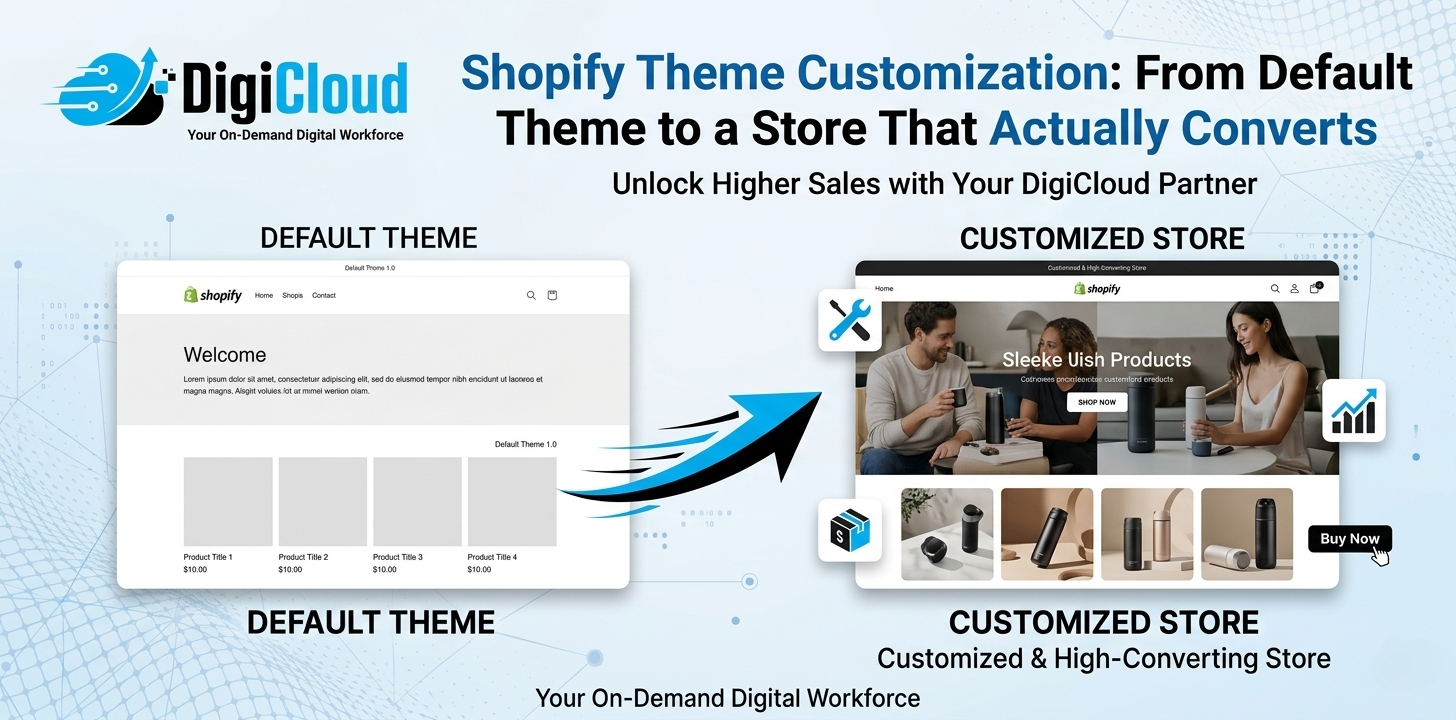
Your Shopify store’s theme is not just a design choice — it is the first impression, the trust signal, and the silent salesperson working around the clock. Yet most store owners launch with a default theme and wonder why visitors browse but never buy. Shopify theme customization is the process of transforming that generic, out-of-the-box appearance into a brand-specific, conversion-optimized storefront that connects with your audience and drives real sales. At DigiCloud, we have spent over 11 years turning default Shopify stores into high-performing sales machines for clients across the globe — and in this guide, we will show you exactly how it works.
Free vs Paid Shopify Themes: Which One Should You Start With?
Shopify’s Theme Store offers over 100 themes — a handful are free, and the rest are premium, ranging from $180 to $400 and above. Before jumping into customization, you need to pick the right foundation.
Free themes like Dawn — Shopify’s flagship free theme — are clean, fast, and well-coded. They are a solid starting point for new stores with limited budgets. However, they come with limited built-in sections, fewer layout options, and a look that thousands of other stores already share.
Paid themes like Prestige, Impulse, or Gem offer richer section libraries, industry-specific layouts, advanced filtering, and more customization depth right out of the box — which means less custom coding needed later.
DigiCloud’s recommendation: If you are validating a product idea, start with Dawn. If you are serious about building a brand that converts from day one, invest in a paid theme that fits your niche — and then have it professionally customized. A well-customized paid theme can reduce your customer acquisition cost significantly by improving conversion rates.
What Can Actually Be Customized on a Shopify Theme?
Most store owners underestimate how much can be changed without touching a single line of code — and how much more is possible when you do. Here is a clear breakdown:
| Customization Type | Theme Editor (No Code) | Requires Developer / Liquid |
|---|---|---|
| Colors, fonts, and typography | Yes | For advanced brand tokens |
| Header and footer layout | Basic options | Custom mega-menus, sticky headers |
| Homepage sections and banners | Yes | Custom section logic and animations |
| Product page layout and UX | Limited | Tabs, size guides, dynamic content |
| Collection page filtering | Basic filters | Advanced multi-filter logic |
| Cart and checkout experience | Limited | Upsell widgets, custom cart logic |
| Mobile responsiveness tweaks | Partial | Full control via CSS and Liquid |
| Product image presentation | Basic gallery | Custom zoom, lookbooks, 360 view |
The theme editor handles surface-level changes. Anything that touches user experience at a deeper level — conditional displays, custom cart logic, dynamic sections, and brand-specific interactions — requires Shopify development services and knowledge of Shopify Liquid, the platform’s templating language.
Theme Editor vs Hiring a Developer: When Do You Need a Professional?
The Shopify theme editor is powerful enough for basic branding — logos, colors, text. But there are clear signals that it is time to hire a Shopify developer:
- Your product page does not clearly communicate value — missing size charts, video embeds, or trust badges
- Your mobile experience has layout breaks or feels clunky to navigate
- Your store looks identical to competitors using the same theme
- You need custom sections that do not exist in your theme’s library
- Your page speed scores are hurting SEO rankings and conversion rates
- You want cross-sell or upsell modules integrated into the cart experience
At DigiCloud, our Shopify store setup service goes beyond theme installation. We assess your store’s conversion gaps, recommend the right theme, and customize every detail — from pixel-perfect product pages to fast-loading mobile layouts — using clean, maintainable code.
5 Shopify Theme Customization Mistakes That Quietly Kill Conversions
After auditing hundreds of stores as a Shopify customization agency, DigiCloud has seen the same mistakes repeated across industries:
- Poor product images: No amount of custom code compensates for blurry, inconsistently sized, or badly lit product photos. Your images are the customer’s only way to evaluate your product before purchase.
- Overloading with third-party apps: Every app that loads external JavaScript slows your store. Heavy app stacks are one of the most common and most overlooked conversion killers.
- Ignoring mobile-first design: Over 70% of Shopify traffic globally comes from mobile devices. If your theme looks great on desktop but breaks on a phone, you are losing the majority of your potential customers.
- Weak product descriptions: Default placeholder text or supplier-copied descriptions hurt both search engine rankings and buyer trust. Conversion-focused copy that addresses customer objections directly is what moves people from browsing to buying.
- No clear call-to-action hierarchy: When everything on the page competes for attention, nothing wins. Your Add to Cart button needs visual dominance — the right color contrast, size, and placement to guide the eye naturally.
How DigiCloud Handles Shopify Theme Customization End-to-End
DigiCloud’s approach to Shopify store optimization is built on a straightforward principle: every element on your store page must earn its place by contributing to a sale. Here is how we deliver that across every project:
Professional Product Image Editing
Our in-house photo editors handle background removal, color correction, resizing to Shopify’s recommended specifications, and image compression — ensuring your visuals are sharp, consistent, and fast-loading. Professional product images alone can increase add-to-cart rates by 20 to 40 percent, making this one of the highest-return investments a store can make.
Product Page Optimization
We structure and rewrite product descriptions using conversion copywriting principles and keyword strategy. Every product listing includes SEO meta titles, meta descriptions, structured attributes such as size, color, SKU and UPC, and persuasive copy that answers the buyer’s top questions before they have to ask.
Shopify Liquid Development for Custom Functionality
For stores that need more than the theme editor offers, our developers work directly in Shopify Liquid development — building custom sections, modifying theme templates, and creating dynamic content blocks that are simply not achievable with drag-and-drop editors. This is the level of customization that sets a store apart from the competition.
Bulk Product Upload with Complete Accuracy
Using CSV and Excel-based workflows, our team uploads hundreds or thousands of products with complete data integrity — SKUs, variants, images, prices, shipping weights, and meta tags — all formatted precisely to Shopify’s requirements. This is where most store owners lose the most time, and where outsourcing to a specialist delivers the clearest return on investment.
Whether you are building your first store or improving an existing one, choosing to outsource your Shopify developer work to DigiCloud means working with a dedicated team backed by 11 years of platform-specific experience — at a fraction of the cost of an in-house hire.
Real Results: What Professional Customization Looks Like in Practice
DigiCloud’s portfolio includes stores across fashion, sporting goods, automotive parts, home decor, and print-on-demand — each transformed from a generic theme installation into a branded, conversion-optimized experience. From sports footwear stores with custom size guide sections to interior design platforms with immersive image galleries, the consistent outcome is the same: professional customization directly and measurably impacts revenue.
If you would like to see what your store could look like with expert customization applied, contact DigiCloud for a free store review. Our team will identify exactly where your current theme is costing you conversions and outline a clear plan tailored to your business goals.
Ready to Turn Your Shopify Theme Into a Conversion Machine?
Your theme is the starting point, not the destination. With the right Shopify theme customization strategy — from image editing and product descriptions to Liquid development and mobile optimization — your store can move from average traffic and low conversions to a brand experience that customers trust and return to.
DigiCloud’s certified Shopify experts have helped 500 businesses across the globe do exactly that — delivering front-end excellence and back-office precision that lets you focus on growing your business.
Explore DigiCloud’s Shopify Services | Get a Free Store Consultation
Frequently Asked Questions About Shopify Theme Customization
1-What is Shopify theme customization?
Shopify theme customization is the process of modifying a Shopify store’s visual design and functionality beyond its default settings. This includes changing layouts, colors, fonts, adding custom sections, redesigning product pages, and editing theme code using Shopify’s Liquid templating language to create a unique, brand-aligned shopping experience.
2-Can I customize a Shopify theme without coding?
Yes. Shopify’s built-in theme editor allows you to change colors, fonts, images, and rearrange sections without any coding knowledge. However, for advanced customizations — such as custom cart logic, unique section layouts, conditional product displays, or mobile-specific design fixes — you will need a developer experienced in Shopify Liquid.
3-How much does Shopify theme customization cost?
Costs vary depending on scope. Minor visual changes are often possible without cost using the theme editor. Mid-level customization by a professional typically ranges from $200 to $1,000. Full custom theme builds or complex functional changes can range from $1,500 upward. Outsourcing to a specialist agency like DigiCloud typically saves businesses 40 to 50 percent compared to hiring locally or in-house.
4-What is Shopify Liquid and why does it matter for customization?
Shopify Liquid is the open-source templating language used to build and modify Shopify themes. It controls how data — products, collections, cart contents — is displayed on your storefront. Liquid development is essential for any customization that goes beyond the visual theme editor, including dynamic sections, conditional logic, and custom checkout experiences.
5-Should I use a free or paid Shopify theme?
Free themes like Dawn are well-built and perfectly suitable for new stores or businesses validating a product idea. Paid themes offer more built-in features and design flexibility, reducing the amount of custom development needed later. Regardless of which you start with, professional customization on top of any theme will significantly outperform a default installation.
6-How long does Shopify theme customization take?
Basic customizations — branding, color palette, section reordering — can be completed within one to three days. A full theme customization project including product page redesign, mobile optimization, and custom sections typically takes one to three weeks, depending on the scope of changes and the size of your product catalog.
7-Why should I outsource my Shopify theme customization to DigiCloud?
DigiCloud brings 11 years of Shopify-specific experience, a 98 percent client satisfaction rate, and proven results across 500 businesses worldwide. Our team operates around the clock, maintains strict data confidentiality, and offers a free trial so you can evaluate the quality of our work before committing. Outsourcing to DigiCloud consistently saves businesses 40 to 50 percent compared to in-house or local agency alternatives. Contact us to get started with a free trial.
Published by DigiCloud | Shopify Development Services | Contact Us