
Case Study — Shopify Custom Development
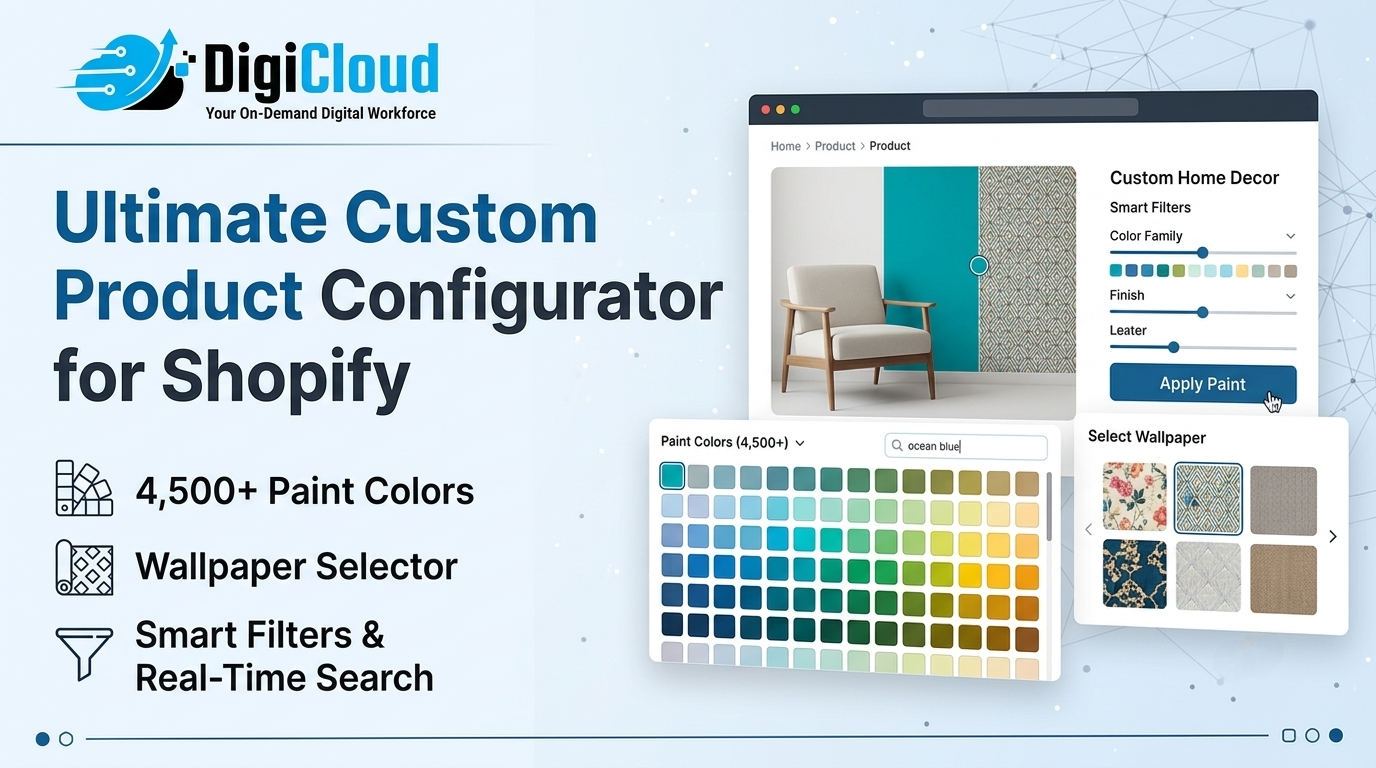 Shopify Custom Product Configurator: 4,500+ Paint Colors, Wallpaper Selector, Smart Filters & Real-Time Search
How DigiCloud solved a product configuration problem that standard Shopify cannot handle
Building a Shopify custom product configurator for a paint and wallpaper store with 4,500+ color shades is not a standard development project. However, that is exactly what DigiCloud delivered for Marketplace Paints — a fully interactive color selector, a wallpaper selector, real-time search, smart category filters, and a guided purchase flow that works within Shopify’s architecture.
This case study breaks down the problem, the solution, and the technical decisions behind the build — because the same challenge applies to any ecommerce business selling products with large, complex option sets.
The Problem: Why Standard Shopify Cannot Sell Paint
Every paint retailer selling online eventually runs into the same wall. On the surface, the product is straightforward — a customer wants a specific paint in a specific sheen, a specific container size, and a specific color. However, when you multiply those options across a catalog with thousands of color shades, the standard Shopify product page completely breaks down.
Shopify’s native variant system caps at 100 variants per product. For a paint line offering 4,500 color shades across Satin, Semi-Gloss, and High Gloss finishes in Gallon or Quart sizes, that limit is hit immediately. As a result, the standard dropdown interface becomes entirely unusable at this scale.
That was the specific challenge when Marketplace Paints approached DigiCloud. They needed to sell the full Benjamin Moore product range — paints, finishes, and wallpapers — where color accuracy and product selection matter enormously, without frustrating or losing customers during the configuration process.
The Live Project: Marketplace Paints on Shopify
The finished Shopify custom product configurator is live on Marketplace Paints today, covering the full Benjamin Moore product range — paints and wallpapers. It handles the complete purchase flow, from sheen and size selection to color and wallpaper picking, across a library of more than 4,500 available options.
Product Page — Sheen & Size Selection
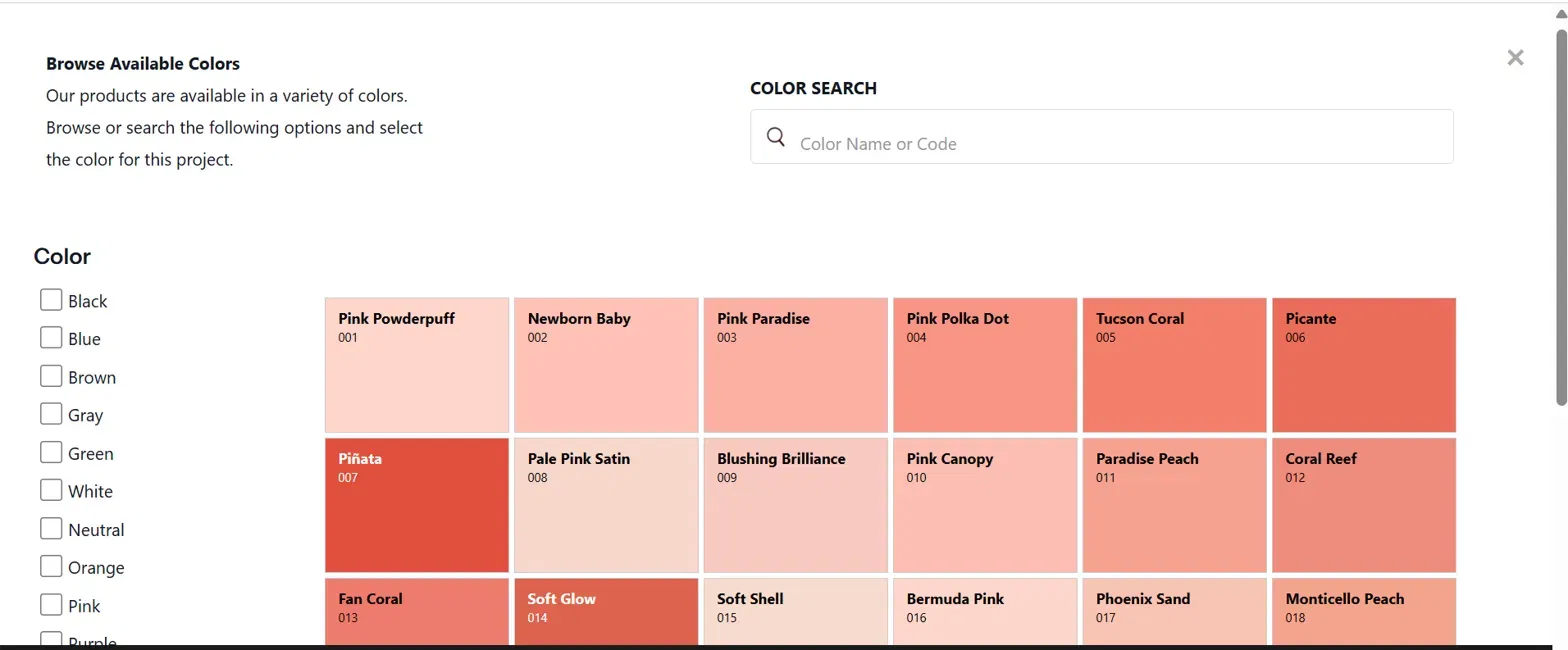
Benjamin Moore product page — Sheen and Size selection built by DigiCloud for Marketplace Paints
What you’re seeing: Sheen options (Satin / Semi-Gloss / High Gloss) and Size options (Gallon / Quart) are presented as clean button selectors — not dropdowns. A “Choose your Color” button opens the interactive color browser. Additionally, a free-text field captures special order notes, making the page suitable for both consumer and trade customers.
Interactive Color Selector — Browse, Filter & Search 4,500+ Shades
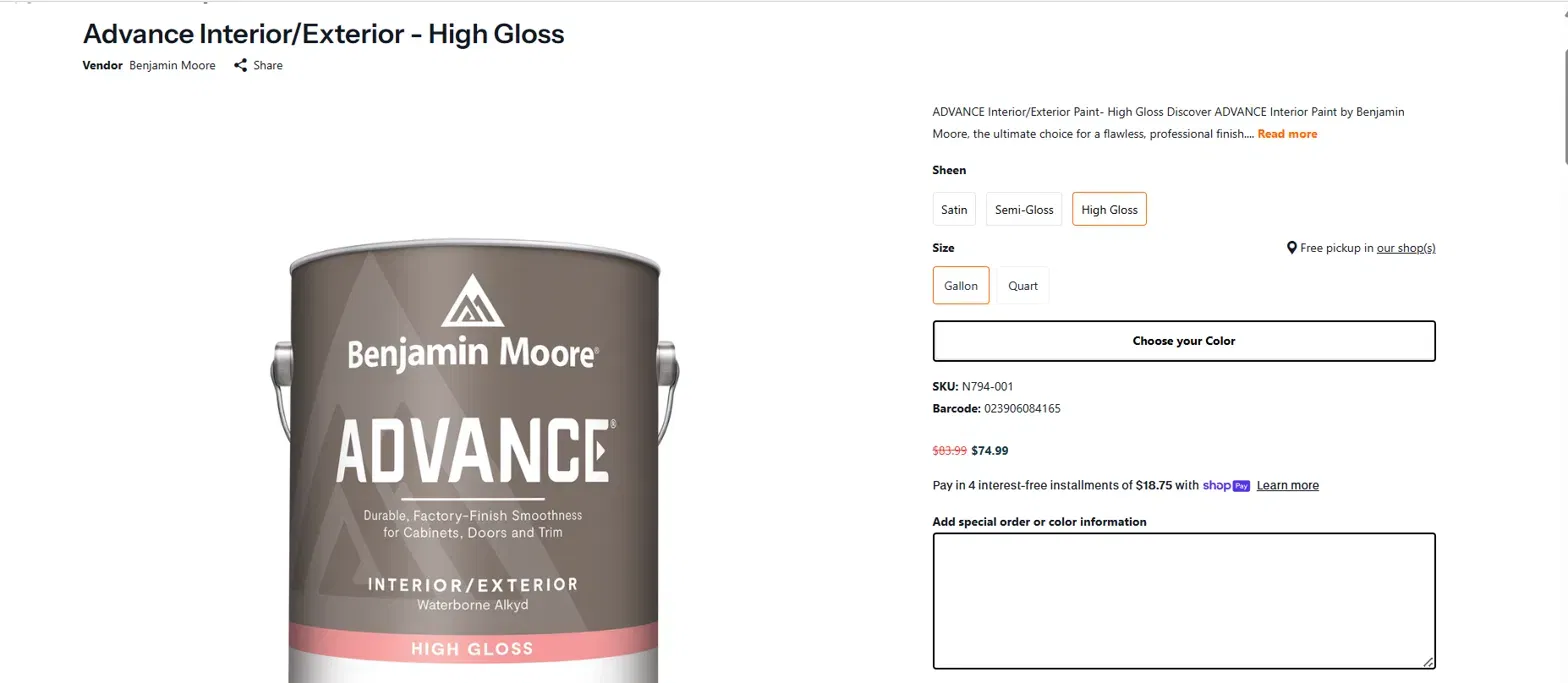
Interactive color and wallpaper browser — filter by category, search by name or shade code, browse 4,500+ options
What you’re seeing: The color browser opens full-screen with three navigation tools working simultaneously. On the left, a filter sidebar narrows results by color family (Black, Blue, Brown, Gray, Green, White, Neutral, Orange, Pink, Purple, and more). At the top, a real-time search field accepts color names or shade codes. Furthermore, the swatch grid displays color name and numeric code directly on each tile — for example, Pink Powderpuff 001, Tucson Coral 005, and Piñata 007.
The Solution: A Shopify Custom Product Configurator Built Around Customer Behaviour
DigiCloud designed the configuration flow around how paint and wallpaper customers actually shop — not around what Shopify natively supports. Rather than presenting an overwhelming dropdown, the page guides customers through a structured, step-by-step process:
1. Choose your Product — from the full Benjamin Moore range across paints and wallpapers
2. Choose your Sheen — Satin, Semi-Gloss, or High Gloss as clean button selectors
3. Choose your Size — Gallon or Quart, with free pickup location shown inline
4. Choose your Color or Wallpaper — via the custom interactive selector with real-time search and smart filters
5. Add special order notes — a free-text field for edge cases and trade orders
6. Add to Cart and Purchase — with all configuration data captured cleanly for fulfillment
Consequently, customers move through selection quickly and confidently — and the store receives complete, unambiguous order data every time. This is the core value of a well-built Shopify custom product configurator: fewer abandoned carts, fewer order errors, and a purchase experience that matches the complexity of the product — whether that’s a paint finish or a wallpaper pattern.
What Was Actually Built — Technical Breakdown
Behind the clean interface, several technical components work together to make the configurator reliable, fast, and scalable:
| Component | What DigiCloud Built |
|---|---|
| Custom Configuration Logic | A multi-step selection flow built outside Shopify’s native variant system, bypassing the 100-variant limit entirely |
| Color Dataset Management | 4,500+ color and wallpaper entries (name, shade code, hex value, category) structured for instant rendering without performance impact |
| Real-Time Search Engine | Instant search by color name or shade code — filtering 4,500+ entries as the user types, with zero page reload |
| Category Filter System | Sidebar filters (Black, Blue, Brown, Gray, Green, White, Neutral, Orange, Pink, Purple, Red) updating the swatch grid in real time |
| Dynamic Variant Handling | Selected sheen, size, and color code are combined into a structured cart entry — clean, accurate, and fulfillment-ready |
| Mobile-Responsive UX | The color selector, filter sidebar, and search field are fully responsive across desktop, tablet, and mobile |
| Performance Optimisation | Lazy loading and optimised data structures ensure 4,500+ swatches render without degrading page speed |
| Scalable Architecture | New shades, product lines, or color families can be added without rebuilding the interface |
The Results
The build transformed a technically demanding product category into a genuinely usable shopping experience. Specifically, these are the outcomes the Shopify custom product configurator delivered:
● Eliminated color-selection friction — customers find a specific shade in seconds via search, rather than scrolling an unusable dropdown of thousands of options
● Guided purchase flow — the step-by-step structure (sheen → size → color → notes → cart) reduces decision fatigue and ensures complete order data every time
● Dual-audience usability — trade customers searching by shade code and homeowners browsing by color family use the same interface comfortably
● Scalable catalog architecture — adding new shades or expanding the product range requires no rebuild of the configurator interface
● Clean fulfillment data — every cart entry carries the exact product, sheen, size, and color code, so the store team processes orders without ambiguity
This Is Not Just a Paint Store Problem
The underlying challenge — selling a product with large, complex option sets in a way that doesn’t overwhelm the customer — applies far beyond paint. In fact, any business with the following product types faces the same configuration problem:
● Tiles and flooring — hundreds of patterns, finishes, and dimensions to navigate
● Fabrics and wallpapers — extensive color and pattern libraries requiring visual browsing
● Custom furniture — configurable materials, colors, sizes, and finishes in combination
● Automotive paints and coatings — exact color matching across model years and manufacturers
● Custom PC hardware — component compatibility combined with large option sets, a challenge DigiCloud also solved for Gaming PC World
● Automotive parts — year-make-model filtering at scale, as built for Valina Inc
Therefore, the real question is not “does my product need a configurator?” It is: “is my current product page losing customers because the selection experience is not good enough?” If the answer is yes, a Shopify custom product configurator is very likely the solution.
Why DigiCloud Handles This Kind of Build
DigiCloud has been building custom Shopify development solutions for over 11 years, across industries that include automotive parts (year-make-model filters for Valina Inc), gaming hardware configuration (Gaming PC World), and international market localization for brands in Japan such as Tozando and Louis Faglin Paris.
Additionally, our catalog management expertise — including large-scale data work using Matrixify and SEO-optimised product data structuring — feeds directly into configurator builds like this one.
Across all of these projects, the common thread is consistent: standard Shopify was not enough, and the solution required custom development built around how the customer actually thinks and shops. That is precisely the kind of problem DigiCloud is built to solve.
Does Your Product Need a Shopify Custom Product Configurator?
DigiCloud builds custom product experiences for stores where standard Shopify interfaces are not enough. Let’s talk about what yours needs.
Related Services from DigiCloud
● Shopify Development Services — custom builds, theme development, and complex feature implementation.
● UI/UX Design Services — user experience design for complex product configurations and custom storefronts.
● WooCommerce Development Services — custom builds and product listing management for WooCommerce stores.
● BigCommerce Development Services — custom builds for stores on BigCommerce.
● Digital Marketing Services — SEO and content strategy to drive qualified traffic to your custom Shopify store.
● All Services — the full range of ecommerce services DigiCloud offers.
● DigiCloud Blog — more case studies and service breakdowns.
● FAQs — common questions about working with DigiCloud, answered.
Frequently Asked Questions
Have a question about Shopify custom product configurator builds? Contact us directly or visit our FAQ page.
Can Shopify handle products with thousands of color or variant options?
Not natively — Shopify’s built-in variant system caps at 100 variants per product. However, a Shopify custom product configurator built outside the native variant structure can handle 4,500+ options without any platform limitations.
What kind of businesses need a Shopify custom product configurator?
Any business where customers must configure a product across multiple dimensions — color, size, material, finish, or specification — and where at least one dimension contains more options than a standard dropdown can present. Paint stores, tile retailers, fabric suppliers, automotive parts stores, and custom hardware configurators are typical examples.
How does real-time color search work in a Shopify store?
The color dataset — names, codes, hex values, and categories — is stored outside Shopify’s native product system and filtered client-side using custom JavaScript. As a result, search and filter results update instantly as a user types, without page reloads or API calls on every keystroke.
Does a custom configurator slow down a Shopify store?
Not when built correctly. The Marketplace Paints configurator uses lazy loading and optimised data structures so that 4,500+ color swatches render without impacting page load speed. Performance optimisation is built into the process from the start — not added as an afterthought.
Can DigiCloud build a Shopify custom product configurator for my store?
Yes — this is one of DigiCloud’s core Shopify development services. The approach adapts to any product type with complex option sets. Contact us to discuss your specific requirements.