
Starting cart abandonment rate
Recovery rate after optimization
Recovered revenue (quarterly)
Improvement in recovery rate
Every ecommerce store owner knows the feeling. A customer visits your store, adds products to their cart, fills in their email address, and then… nothing. They disappear. The cart sits abandoned. You never hear from them again.
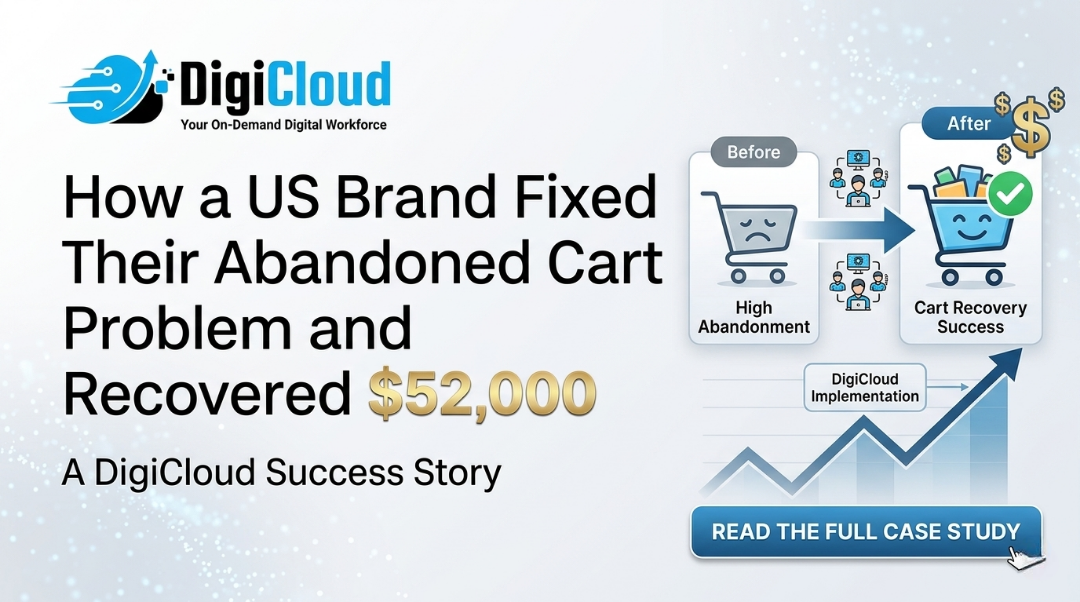
This abandoned cart recovery case study follows a US-based fashion accessories brand that turned this frustration into $52,000 in recovered revenue. They went from recovering only 2.5% of lost carts to recovering 14.8% — without increasing ad spend or changing their products.
This guide walks you through exactly what they did, step by step. You will get the exact email and SMS templates they used, the timing of each message, and the results you can expect. No technical jargon. Just a proven system you can implement for your own Shopify store.
The Problem: $49,000 in Monthly Lost Revenue
The brand — let us call them LuxeStyle — sold premium leather accessories on Shopify. Their products were excellent. Their traffic was growing. But their checkout had a leak.
The Starting Numbers
- Monthly revenue: $65,000
- Cart abandonment rate: 73% (industry average is 70%)
- Abandoned cart recovery rate: Only 2.5% (basic single email sequence)
- Monthly lost revenue from abandoned carts: Approximately $49,000
The brand was essentially throwing away $49,000 every month. Customers were interested enough to add products to their cart, but something was stopping them from completing the purchase. The existing recovery system — a single email sent 24 hours after abandonment — was barely making a dent.
The Solution: A Multi-Channel Abandoned Cart Recovery System
The solution was not complicated. LuxeStyle did not need new products or more traffic. They needed a better system to recover the customers who already wanted to buy.
DigiCloud implemented a cart abandonment recovery system using three channels: email, SMS, and retargeting ads. The sequence was designed to be helpful, not pushy. Each message had a specific purpose and timing. For more strategies, check out our Shopify store optimization ROI guide.
The Complete Recovery Sequence (Step by Step)
| Step | Timing | Channel | Discount |
|---|---|---|---|
| 1 | 1 hour after abandonment | 0% | |
| 2 | 3 hours after abandonment | SMS | 0% |
| 3 | 24 hours after abandonment | 10% + free shipping | |
| 4 | 48 hours after abandonment | Email + Retargeting Ad | 15% off |
Step 1: First Email (1 Hour After Abandonment) – Gentle Reminder
Subject line: “Your cart is waiting at LuxeStyle”
Why this works: Most customers abandon carts for simple reasons — they got distracted, their phone died, or they wanted to compare prices. This email assumes good intent. No discount. No pressure. Just a helpful reminder with a direct link back to their cart.
Template excerpt:
“Hi [Name],
You left something special behind. Your cart is still waiting for you.
[Link to cart]
We will hold these items for 48 hours.
— The LuxeStyle Team”
Step 2: SMS Message (3 Hours After Abandonment) – Direct Link
SMS text: “LuxeStyle: Your cart is waiting → [link]. Reply STOP to opt out.”
Why this works: SMS has 98% open rates. Many customers check texts immediately but ignore emails for hours. A simple, short message with a direct cart link captures the “I’ll buy it right now” moment.
Step 3: Second Email (24 Hours After Abandonment) – Add Incentive
Subject line: “Still thinking about these? Here’s 10% off”
Why this works: If the customer did not respond to the first two messages, they may need a small incentive. 10% off plus free shipping is often enough to close the sale. The discount creates urgency without hurting margins significantly.
Template excerpt:
“Hi [Name],
Still thinking about that leather tote? We get it. It is a big decision.
To help you decide, here is 10% off your entire order plus free shipping. Use code: WELCOME10
[Link to cart]
This offer expires in 24 hours.
— The LuxeStyle Team”
Step 4: Final Email + Retargeting Ad (48 Hours After Abandonment) – Last Chance
Subject line: “Last chance: Your cart expires tonight”
Why this works: Final urgency message combined with a retargeting ad on Facebook and Instagram. The customer sees the brand message in two places, increasing the likelihood of return. 15% off is the maximum discount offered — enough to convert price-sensitive shoppers but not so high that it trains customers to always wait for discounts.
Template excerpt:
“Hi [Name],
This is your final reminder. Your cart will expire in 6 hours.
Use code: LAST15 for 15% off your entire order.
[Link to cart]
After tonight, the items in your cart may be sold to another customer.
— The LuxeStyle Team”
The Results: $52,000 Recovered in One Quarter
After implementing this four-step sequence, LuxeStyle saw dramatic improvements in every recovery metric.
Before vs. After Comparison
| Metric | Before | After (90 days) | Improvement |
|---|---|---|---|
| Cart recovery rate | 2.5% | 14.8% | +492% |
| Recovered revenue (quarter) | $12,000 | $64,000 | +$52,000 |
| Email open rate (first email) | 32% | 48% | +50% |
| SMS click-through rate | N/A (not used) | 22% | New channel |
What the Numbers Mean for Your Store
If your store has similar traffic to LuxeStyle (approximately $65,000 monthly revenue), a 14.8% recovery rate on a 73% abandonment rate means:
- Monthly recovered revenue: Approximately $17,000
- Annual recovered revenue: Approximately $204,000
- ROI on implementation: The total cost to set up this system was under $2,000 (tools + setup time). First-year ROI: 10,000%+
Free Templates: Copy These for Your Store
You do not need to start from scratch. Here are the exact templates LuxeStyle used. Just replace the brand name and links.
Email 1 Template (1 Hour)
Subject: Your cart is waiting at [Brand Name]
Hi [Customer Name],
You left something special behind. Your cart is still waiting for you.
👉 [Link to cart]
We will hold these items for 48 hours.
— The [Brand Name] Team
SMS Template (3 Hours)
[Brand Name]: Your cart is waiting → [link]. Reply STOP to opt out.
Email 2 Template (24 Hours – With Discount)
Subject: Still thinking about these? Here’s 10% off
Hi [Customer Name],
Still thinking about that
? We get it. It is a big decision.To help you decide, here is 10% off your entire order plus free shipping.
Use code: SAVE10
👉 [Link to cart]
This offer expires in 24 hours.
— The [Brand Name] Team
Email 3 Template (48 Hours – Last Chance)
Subject: Last chance: Your cart expires tonight
Hi [Customer Name],
This is your final reminder. Your cart will expire in 6 hours.
Use code: LAST15 for 15% off your entire order.
👉 [Link to cart]
After tonight, the items in your cart may be sold to another customer.
— The [Brand Name] Team
How to Implement This System for Your Store (Step by Step)
You can set up this abandoned cart recovery system in one week. Here is how.
Step 1: Choose Your Tools
- For email: Klaviyo, Omnisend, or Shopify Email (free up to 10,000 emails/month)
- For SMS: Klaviyo, Postscript, or Omnisend (requires separate SMS credit purchase)
- For retargeting ads: Facebook Ads Manager or Google Remarketing
Step 2: Set Up the Automation Flow
In your email/SMS tool (Klaviyo recommended), create a new “Abandoned Cart” flow. Set the trigger to “Checked out but did not purchase” or “Added to cart but did not checkout.” Then add the four messages with the timing shown above.
Step 3: Install Tracking Pixels
For retargeting ads, ensure your Facebook Pixel and Google Ads tags are installed on your Shopify store. Create a custom audience of “People who added to cart but did not purchase in the last 3 days.” Then run a simple image ad showing the products they left behind.
Step 4: Test the Sequence
Test the flow yourself. Add a product to your cart, start checkout, and abandon it. Verify that you receive the email at 1 hour, the SMS at 3 hours, and the follow-up emails at 24 and 48 hours.
Step 5: Monitor and Optimize
After two weeks, review your metrics. Look at open rates, click rates, and conversion rates for each message. Adjust subject lines, timing, or discount amounts based on what the data tells you.
Conclusion: Stop Losing Revenue to Abandoned Carts
The average ecommerce store loses 70% of its potential sales to cart abandonment. Yet most stores still use a single, basic email sequence that recovers only 2-3% of lost revenue.
This abandoned cart recovery case study proves that a strategic, multi-channel sequence can recover 10-15% of lost sales — adding tens of thousands of dollars to your bottom line with zero increase in ad spend.
The templates above are ready to copy. The sequence takes one week to set up. The ROI is almost immediate. There is no reason to leave this money on the table. For more ways to optimize your store, check out our Shopify theme customization guide and outsourcing Shopify development resources.
Ready to Recover Your Lost Revenue?
DigiCloud can set up this abandoned cart recovery system for your Shopify store in less than a week. We handle the emails, SMS, and retargeting ads — you just watch the recovered revenue grow.
Shopify Store Optimization ROI: How Much Revenue Are You Leaving on the Table?
Why Smart Shopify Brands Outsource Their Shopify Developer Work
Shopify Theme Customization: From Default Theme to a Store That Actually Converts